Sharing the 360Player Calendar with Personal Calendars
Coaches and parents can also sync their 360Player calendar with their personal calendar, such as Google Calendar, Apple Calendar or Outlook. This allows training sessions, matches and other team events to appear alongside their normal personal, work or family calendar.
This is useful because it helps families keep track of upcoming sessions without needing to manually copy dates across. It also reduces the chance of missed training sessions, missed match-day details or late responses to invites.
Where possible, coaches should encourage parents to connect their 360Player calendar to their personal calendar. This is especially helpful for families with more than one child, busy schedules or multiple team commitments.
Important points to note:
- The 360Player calendar should remain the main source of truth for team events.
- Personal calendar syncing is mainly for convenience and visibility.
- Parents and coaches should still respond to availability requests in 360Player.
- If a session is changed or cancelled, coaches should update 360Player first.
- Personal calendars may not always update instantly, so parents should check 360Player if they are unsure.
Using calendar syncing should make it easier for everyone to keep track of training and match commitments, while still keeping all official team communication and availability responses inside 360Player.
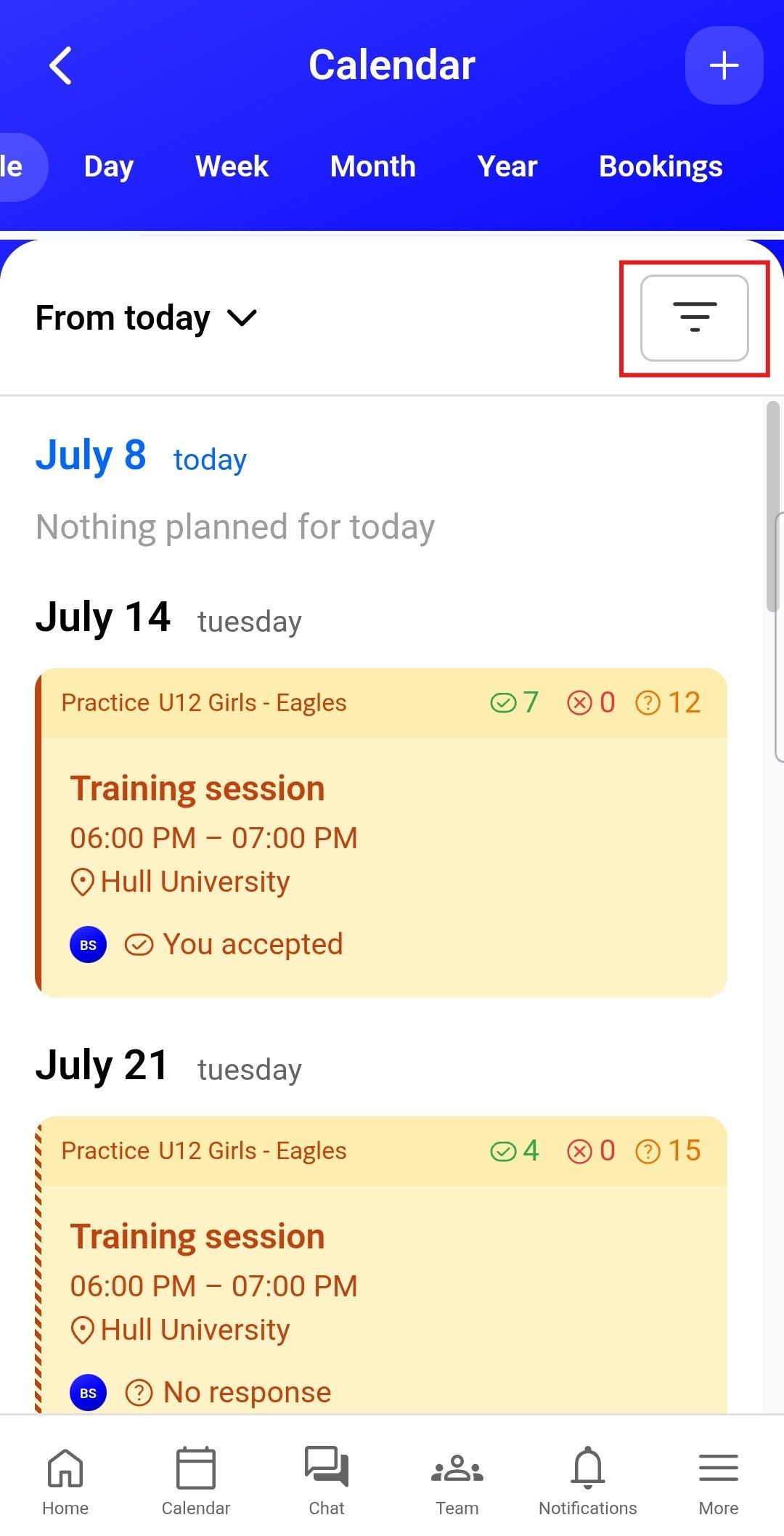
From the calendar view, select the hamburger menu to open the additional options available for the calendar.

Click the share icon next to the relevant group calendar to publish it to your personal calendar, such as Google Calendar, Apple Calendar or Outlook.

Copy the calendar URL, then add it to your personal calendar by following the instructions provided by your calendar provider, such as Google Calendar, Apple Calendar or Outlook.
